// Work — cinematic scroll story.
// Six acts. Each act takes over the viewport, pins, and animates as the user scrolls.
// The further you scroll, the deeper into the story you go: from a single photo,
// to a wall of homes, to the two finishes, to the install itself, to the map of
// where the work lives, to a final river of imagery before the close.

const { useState, useEffect, useRef, useMemo, useLayoutEffect, useCallback } = React;

// ============================================================
// Project data — stitched from the M&T gallery.
// Each project has stone, finish (clear/satin), location, and a photo.
// ============================================================
const PROJECTS = [
  // CLEAR (polished)
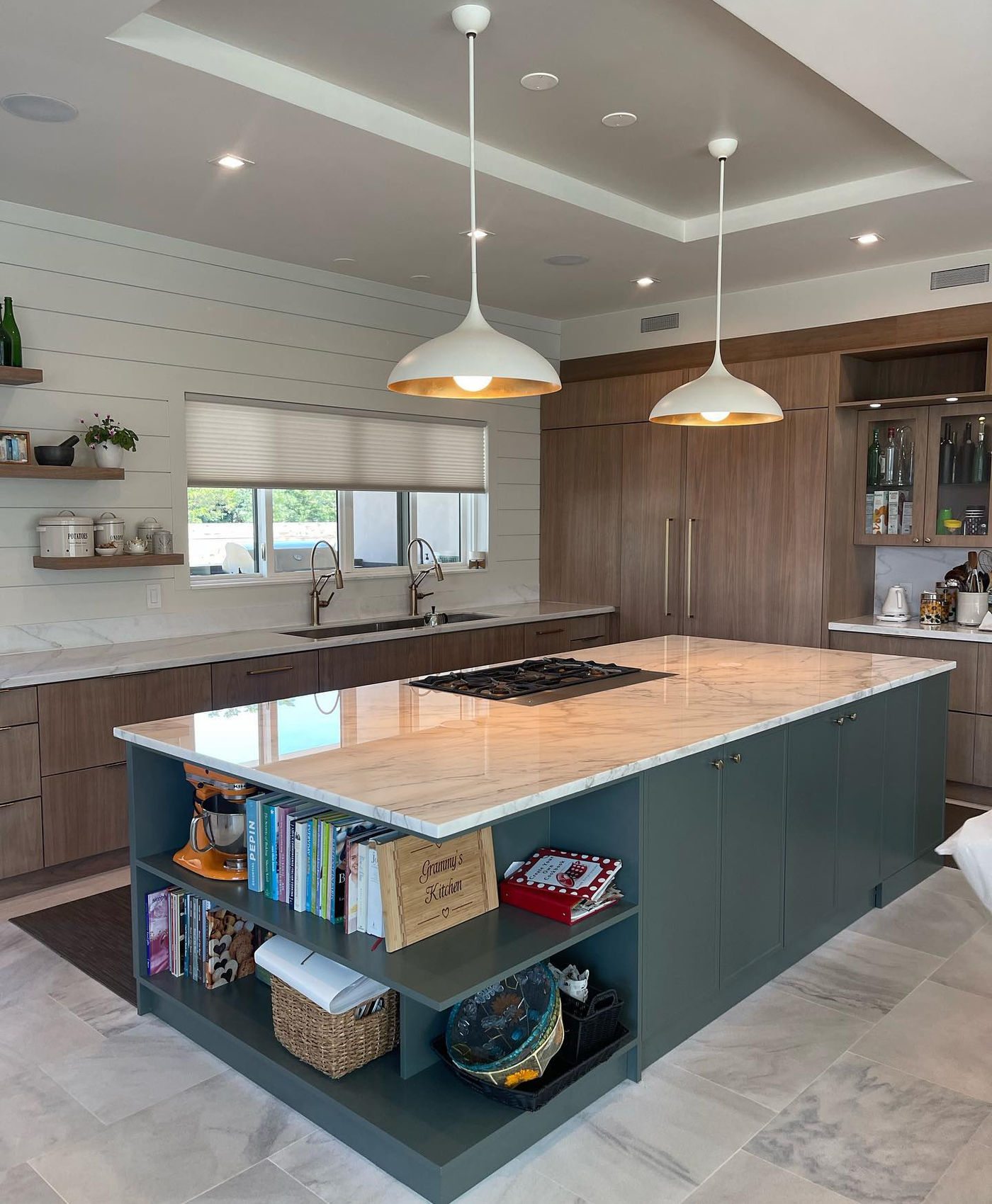
  { id: "p1",  src: "assets/work/p-luxury-gold-1.jpg",        stone: "Calacatta Gold",     finish: "Clear", location: "Manhattan, NY",       year: "2024", caption: "Mirror-polished marble, gold-accented kitchen." },
  { id: "p2",  src: "assets/work/p-film-lifted.jpg",          stone: "Grey-veined Marble", finish: "Clear", location: "Greenwich, CT",       year: "2024", caption: "The film, partially lifted. Invisible armor." },
  { id: "p3",  src: "assets/work/p-white-kitchen.jpg",        stone: "White Marble",       finish: "Clear", location: "Brooklyn, NY",        year: "2024", caption: "All-white kitchen, mirror finish, sealed." },
  { id: "p4",  src: "assets/work/p-modern-quartz.jpg",        stone: "Calacatta Quartz",   finish: "Clear", location: "Hoboken, NJ",         year: "2025", caption: "Modern quartz island and matching backsplash." },
  { id: "p5",  src: "assets/work/p-beach-house.jpg",          stone: "Light Marble",       finish: "Clear", location: "The Hamptons, NY",    year: "2024", caption: "Beach house. Light stone over warm wood." },
  { id: "p6",  src: "assets/work/p-marble-table.jpg",         stone: "White Marble",       finish: "Clear", location: "Tribeca, NY",         year: "2025", caption: "Polished marble dining table, gleaming." },
  { id: "p7",  src: "assets/work/p-trim-carrara.jpg",         stone: "Carrara Marble",     finish: "Clear", location: "Westchester, NY",     year: "2025", caption: "Trimming the film onto a Carrara slab." },
  { id: "p8",  src: "assets/work/p-waterfall-calacatta.jpg",  stone: "Calacatta Gold",     finish: "Clear", location: "Upper East Side, NY", year: "2024", caption: "Waterfall island, calacatta gold." },
  { id: "p9",  src: "assets/work/p-stainless-waterfall.jpg",  stone: "White Marble",       finish: "Clear", location: "Park Slope, NY",      year: "2025", caption: "Stainless and stone, side-by-side." },

  // SATIN (honed)
  { id: "s1",  src: "assets/work/s-calacatta-quartz.jpg",     stone: "Calacatta Quartz",   finish: "Satin", location: "Jersey City, NJ",     year: "2024", caption: "Honed quartz, soft matte against dark base." },
  { id: "s2",  src: "assets/work/s-installer.jpg",            stone: "Quartz",             finish: "Satin", location: "Bergen County, NJ",   year: "2025", caption: "Mid-install. Hand-cut to the slab." },
  { id: "s3",  src: "assets/work/s-bar-quartzite.png",        stone: "Honed Quartzite",    finish: "Satin", location: "Short Hills, NJ",     year: "2024", caption: "Home bar, ready for spills." },
  { id: "s4",  src: "assets/work/s-dining-table.png",         stone: "Honed Marble",       finish: "Satin", location: "Princeton, NJ",       year: "2024", caption: "Honed marble dining table, scratch-resistant." },
  { id: "s5",  src: "assets/work/s-island-grey.jpg",          stone: "Honed Marble",       finish: "Satin", location: "Bucks County, PA",    year: "2025", caption: "Soft grey veining, expansive island." },
  { id: "s6",  src: "assets/work/s-bar-sink.jpg",             stone: "Honed Marble",       finish: "Satin", location: "Long Island, NY",     year: "2024", caption: "Integrated sink, honed marble bar." },
  { id: "s7",  src: "assets/work/s-waterfall-calacatta.jpg",  stone: "Calacatta",          finish: "Satin", location: "SoHo, NY",            year: "2025", caption: "Waterfall calacatta, satin finish." },
  { id: "s8",  src: "assets/work/s-cooktop.jpg",              stone: "Honed Marble",       finish: "Satin", location: "Montclair, NJ",       year: "2024", caption: "Cooktop counter — heat- and stain-shielded." },
  { id: "s9",  src: "assets/work/s-sink-backsplash.jpg",      stone: "Honed Marble",       finish: "Satin", location: "Chappaqua, NY",       year: "2025", caption: "Sink run and backsplash, fully sealed." },
  { id: "s10", src: "assets/work/s-calacatta-viola.png",      stone: "Calacatta Viola",    finish: "Satin", location: "Greenwich Village, NY", year: "2024", caption: "Bold burgundy veins, wood-accent kitchen." },
];

const CLEAR = PROJECTS.filter(p => p.finish === "Clear");
const SATIN = PROJECTS.filter(p => p.finish === "Satin");

// ============================================================
// SERVICE AREAS — full list of luxury towns we work in.
// Used only by the Atlas Service Map ticker. Independent of
// PROJECTS so the editorial map of homes can be richer than
// the curated photo set.
// "C" = Clear (polished), "S" = Satin (honed).
// ============================================================
const SERVICE_AREAS = [
  // — Manhattan —
  { region: "Manhattan",      town: "Tribeca",            finish: "Clear" },
  { region: "Manhattan",      town: "SoHo",               finish: "Satin" },
  { region: "Manhattan",      town: "Greenwich Village",  finish: "Satin" },
  { region: "Manhattan",      town: "Upper East Side",    finish: "Clear" },
  { region: "Manhattan",      town: "Upper West Side",    finish: "Clear" },
  { region: "Manhattan",      town: "Chelsea",            finish: "Satin" },
  { region: "Manhattan",      town: "West Village",       finish: "Clear" },
  { region: "Manhattan",      town: "NoHo",               finish: "Satin" },
  // — Brooklyn —
  { region: "Brooklyn",       town: "Park Slope",         finish: "Clear" },
  { region: "Brooklyn",       town: "Brooklyn Heights",   finish: "Clear" },
  { region: "Brooklyn",       town: "Cobble Hill",        finish: "Satin" },
  { region: "Brooklyn",       town: "Williamsburg",       finish: "Satin" },
  { region: "Brooklyn",       town: "Dumbo",              finish: "Satin" },
  // — Westchester —
  { region: "Westchester",    town: "Scarsdale",          finish: "Clear" },
  { region: "Westchester",    town: "Rye",                finish: "Clear" },
  { region: "Westchester",    town: "Bronxville",         finish: "Satin" },
  { region: "Westchester",    town: "Larchmont",          finish: "Clear" },
  { region: "Westchester",    town: "Bedford",            finish: "Satin" },
  { region: "Westchester",    town: "Pound Ridge",        finish: "Satin" },
  { region: "Westchester",    town: "Armonk",             finish: "Clear" },
  { region: "Westchester",    town: "Chappaqua",          finish: "Satin" },
  { region: "Westchester",    town: "Katonah",            finish: "Satin" },
  { region: "Westchester",    town: "Purchase",           finish: "Clear" },
  // — Long Island / Gold Coast —
  { region: "Long Island",    town: "Sands Point",        finish: "Clear" },
  { region: "Long Island",    town: "Lloyd Harbor",       finish: "Clear" },
  { region: "Long Island",    town: "Cold Spring Harbor", finish: "Satin" },
  { region: "Long Island",    town: "Locust Valley",      finish: "Satin" },
  { region: "Long Island",    town: "Old Westbury",       finish: "Clear" },
  { region: "Long Island",    town: "Manhasset",          finish: "Clear" },
  { region: "Long Island",    town: "Garden City",        finish: "Satin" },
  { region: "Long Island",    town: "Roslyn",             finish: "Clear" },
  // — The Hamptons —
  { region: "The Hamptons",   town: "East Hampton",       finish: "Clear" },
  { region: "The Hamptons",   town: "Southampton",        finish: "Clear" },
  { region: "The Hamptons",   town: "Sagaponack",         finish: "Satin" },
  { region: "The Hamptons",   town: "Bridgehampton",      finish: "Satin" },
  { region: "The Hamptons",   town: "Sag Harbor",         finish: "Satin" },
  { region: "The Hamptons",   town: "Water Mill",         finish: "Clear" },
  { region: "The Hamptons",   town: "Amagansett",         finish: "Satin" },
  { region: "The Hamptons",   town: "Wainscott",          finish: "Clear" },
  { region: "The Hamptons",   town: "Quogue",             finish: "Satin" },
  { region: "The Hamptons",   town: "Montauk",            finish: "Satin" },
  // — New Jersey —
  { region: "New Jersey",     town: "Alpine",             finish: "Clear" },
  { region: "New Jersey",     town: "Saddle River",       finish: "Clear" },
  { region: "New Jersey",     town: "Franklin Lakes",     finish: "Clear" },
  { region: "New Jersey",     town: "Tenafly",            finish: "Satin" },
  { region: "New Jersey",     town: "Demarest",           finish: "Satin" },
  { region: "New Jersey",     town: "Mendham",            finish: "Satin" },
  { region: "New Jersey",     town: "Far Hills",          finish: "Clear" },
  { region: "New Jersey",     town: "Bernardsville",      finish: "Clear" },
  { region: "New Jersey",     town: "Rumson",             finish: "Satin" },
  { region: "New Jersey",     town: "Short Hills",        finish: "Satin" },
  { region: "New Jersey",     town: "Mountain Lakes",     finish: "Clear" },
  { region: "New Jersey",     town: "Montclair",          finish: "Satin" },
  { region: "New Jersey",     town: "Princeton",          finish: "Clear" },
  { region: "New Jersey",     town: "Hoboken",            finish: "Clear" },
  { region: "New Jersey",     town: "Jersey City",        finish: "Satin" },
  // — Connecticut —
  { region: "Connecticut",    town: "Greenwich",          finish: "Clear" },
  { region: "Connecticut",    town: "Darien",             finish: "Clear" },
  { region: "Connecticut",    town: "New Canaan",         finish: "Satin" },
  { region: "Connecticut",    town: "Westport",           finish: "Satin" },
  { region: "Connecticut",    town: "Weston",             finish: "Clear" },
  { region: "Connecticut",    town: "Wilton",             finish: "Satin" },
  { region: "Connecticut",    town: "Ridgefield",         finish: "Clear" },
  // — Pennsylvania (Main Line + Bucks Co) —
  { region: "Main Line, PA",  town: "Bryn Mawr",          finish: "Clear" },
  { region: "Main Line, PA",  town: "Villanova",          finish: "Clear" },
  { region: "Main Line, PA",  town: "Gladwyne",           finish: "Satin" },
  { region: "Main Line, PA",  town: "Radnor",             finish: "Satin" },
  { region: "Bucks County",   town: "Newtown",            finish: "Clear" },
  { region: "Bucks County",   town: "New Hope",           finish: "Satin" },
  { region: "Bucks County",   town: "Doylestown",         finish: "Satin" },
];

// ============================================================
// Hooks
// ============================================================

// Returns scroll progress 0..1 based on element's position in viewport.
// 0 = top of element at bottom of viewport (entering)
// 1 = bottom of element at top of viewport (leaving)
function useScrollProgress(ref) {
  const [p, setP] = useState(0);
  useEffect(() => {
    let raf;
    const tick = () => {
      cancelAnimationFrame(raf);
      raf = requestAnimationFrame(() => {
        const el = ref.current; if (!el) return;
        const r = el.getBoundingClientRect();
        const vh = window.innerHeight;
        const total = r.height + vh;
        const scrolled = vh - r.top;
        setP(Math.max(0, Math.min(1, scrolled / total)));
      });
    };
    tick();
    window.addEventListener("scroll", tick, { passive: true });
    window.addEventListener("resize", tick);
    return () => {
      window.removeEventListener("scroll", tick);
      window.removeEventListener("resize", tick);
      cancelAnimationFrame(raf);
    };
  }, []);
  return p;
}

// Scroll progress for a pinned scene: 0 when scene's top hits viewport top,
// 1 when scene has scrolled past by its full pinned distance.
function usePinnedProgress(ref) {
  const [p, setP] = useState(0);
  useEffect(() => {
    let raf;
    const tick = () => {
      cancelAnimationFrame(raf);
      raf = requestAnimationFrame(() => {
        const el = ref.current; if (!el) return;
        const r = el.getBoundingClientRect();
        const vh = window.innerHeight;
        const distance = el.offsetHeight - vh; // total pinned distance
        if (distance <= 0) { setP(0); return; }
        const scrolled = -r.top;
        setP(Math.max(0, Math.min(1, scrolled / distance)));
      });
    };
    tick();
    window.addEventListener("scroll", tick, { passive: true });
    window.addEventListener("resize", tick);
    return () => {
      window.removeEventListener("scroll", tick);
      window.removeEventListener("resize", tick);
      cancelAnimationFrame(raf);
    };
  }, []);
  return p;
}

// Linear interp utility
const lerp = (a, b, t) => a + (b - a) * t;
// Clamp + remap a sub-range into 0..1
const remap = (t, lo, hi) => Math.max(0, Math.min(1, (t - lo) / (hi - lo)));
// Easing
const easeOut = (t) => 1 - Math.pow(1 - t, 3);
const easeInOut = (t) => t < 0.5 ? 2 * t * t : 1 - Math.pow(-2 * t + 2, 2) / 2;

// ============================================================
// Chapter marker — left-edge indicator that pulses as you enter a scene
// ============================================================
function ChapterMarker({ index, total, label, active }) {
  return (
    <div style={{
      position: "fixed",
      left: 28, top: "50%", transform: "translateY(-50%)",
      zIndex: 40,
      display: "flex", flexDirection: "column", gap: 14,
      pointerEvents: "none",
    }} className="chapter-rail">
      {Array.from({ length: total }).map((_, i) => (
        <div key={i} style={{
          width: i === active ? 28 : 14,
          height: 1,
          background: i <= active ? "var(--maroon)" : "var(--line)",
          transition: "width .5s ease, background .5s ease",
        }}/>
      ))}
      <style>{`
        @media (max-width: 860px){ .chapter-rail{ display: none; } }
      `}</style>
    </div>
  );
}

// ============================================================
// Section tag — top-left "M&T · WORK" badge, only on Act 1.
// Matches the Learn page breadcrumb treatment exactly.
// ============================================================
function SectionTag({ visible, exitProgress = 0 }) {
  // exitProgress 0..1 mirrors the photo's upward push at the end of Act 1.
  // The badge slides up and fades together with the hero.
  const lift = exitProgress * 120; // px upward
  const fade = 1 - Math.min(1, exitProgress * 1.4);
  return (
    <div style={{
      position: "fixed",
      left: 28, top: 100,
      zIndex: 40,
      pointerEvents: visible ? "auto" : "none",
      opacity: (visible ? 1 : 0) * fade,
      transform: `translateY(${visible ? -lift : -6}px)`,
      transition: "opacity .35s ease",
      willChange: "transform, opacity",
    }} className="section-tag mono">
      <div style={{
        fontSize: 11, letterSpacing: "0.28em", textTransform: "uppercase",
        color: "var(--mute)",
      }}>
        <a href="index.html" style={{
          borderBottom: "1px solid var(--line)",
          color: "inherit",
          textDecoration: "none",
        }}>M&amp;T</a>
        &nbsp;·&nbsp;Work
      </div>
      <style>{`
        @media (max-width: 760px){ .section-tag{ left: 16px; top: 88px; } }
      `}</style>
    </div>
  );
}

// ============================================================
// Floating chapter label — top-right, swaps as scenes change
// ============================================================
// ============================================================
// Per-section sticky chapter tag — sits in the top-right of the section
// it belongs to. Because it lives inside the section's pinned sticky
// container, it stays visible the entire time the section is active,
// then naturally scrolls out with the section as you continue down.
// The next section's <ChapterTag> is already positioned, ready to take
// its place.
// ============================================================
function ChapterTag({ index, total, title, tone = "dark" }) {
  // tone: "dark" = on a dark background (use bone text)
  //       "light" = on a light/cream background (use ink text)
  const color = tone === "light" ? "var(--ink)" : "#F5F2ED";
  return (
    <div style={{
      position: "absolute",
      right: 28, top: 100,
      zIndex: 30,
      pointerEvents: "none",
      color,
      width: 220,
      textAlign: "right",
    }} className="chapter-label">
      <div className="mono" style={{
        fontSize: 10, letterSpacing: "0.28em", textTransform: "uppercase",
        opacity: 0.6, marginBottom: 6,
      }}>
        Chapter {String(index + 1).padStart(2, "0")} / {String(total).padStart(2, "0")}
      </div>
      <div className="serif" style={{
        fontSize: 22, letterSpacing: "-0.01em", lineHeight: 1.1,
      }}>
        {title}
      </div>
      <style>{`
        @media (max-width: 760px){
          .chapter-label{ right: 16px; top: 88px; width: 180px; }
          .chapter-label .serif { font-size: 16px; }
        }
      `}</style>
    </div>
  );
}

// ============================================================
// ACT I — ARRIVAL
// A single hero photo emerges from below, scales up, pushes into frame.
// Headline crossfades through three lines as you scroll.
// ============================================================
function ActArrival({ onActive }) {
  const ref = useRef(null);
  const p = usePinnedProgress(ref);

  useEffect(() => {
    if (p > 0.05 && p < 0.95) onActive(0);
  }, [p, onActive]);

  // Report Act 1 progress to the parent so the M&T · Work badge
  // can slide up in lockstep with the hero photo's exit.
  useEffect(() => { onActive(0, p); }, [p, onActive]);

  // Photo rises from below — bright, no tint.
  const photoY    = lerp(140, 0, easeOut(remap(p, 0, 0.6)));
  const photoScale= lerp(0.84, 1.04, easeOut(remap(p, 0, 1)));
  const photoOp   = remap(p, 0, 0.2);

  // Three lines spelled out, crossfading — original gesture, centered.
  const lines = [
    { text: "Thousands of homes protected.",   accent: false },
    { text: "Across three states.",            accent: false },
    { text: "NY, NJ, & PA.",                   accent: true  },
  ];

  return (
    <section ref={ref} style={{
      position: "relative",
      height: "260vh",
      background: "var(--bone)",
    }}>
      <div style={{
        position: "sticky", top: 0,
        height: "100vh", overflow: "hidden",
      }}>
        <ChapterTag index={0} total={6} title="Arrival" tone="light" />
        {/* Photo — dead center of the viewport (both axes). The headline sits ON TOP of it.
            Wrapper handles centering; inner element handles rise + scale. */}
        <div style={{
          position: "absolute",
          left: "50%",
          top: "50%",
          transform: "translate(-50%, -50%)",
          width: "min(60vw, 820px)",
          zIndex: 2,
          willChange: "transform",
        }}>
          <div style={{
            transform: `translateY(${lerp(80, 0, easeOut(remap(p, 0, 0.6)))}px) scale(${photoScale})`,
            opacity: photoOp,
            willChange: "transform, opacity",
            width: "100%",
            aspectRatio: "16/10",
            overflow: "hidden",
            boxShadow: "0 40px 80px -32px rgba(10,9,8,0.35), 0 16px 36px -16px rgba(10,9,8,0.18)",
            transformOrigin: "50% 50%",
            position: "relative",
          }}>
            <img src={PROJECTS[0].src} alt="" style={{
              width: "100%", height: "100%", objectFit: "cover",
              display: "block",
            }}/>
            {/* Tint INSIDE the photo so it scales with it — fades in as the photo arrives,
                same range as the text-color crossfade so they land together. */}
            <div style={{
              position: "absolute", inset: 0,
              background: `rgba(10,9,8,${0.38 * remap(p, 0.02, 0.22)})`,
              pointerEvents: "none",
            }}/>
          </div>
        </div>

        {/* Headline — DEAD center of the viewport, regardless of other elements */}
        <div style={{
          position: "absolute",
          left: 0, right: 0,
          top: "50%",
          transform: "translateY(-50%)",
          height: "clamp(60px, 8vw, 110px)",
          display: "grid", placeItems: "center",
          padding: "0 clamp(80px, 10vw, 140px)",
          zIndex: 4,
        }}>
          {lines.map((ln, i) => {
            // Three discrete windows. Each line owns its third of the scroll.
            // Tighter ramps for snappier crossfades between lines.
            const winStart = i * 0.33;
            const winEnd   = (i + 1) * 0.33;
            const local    = (p - winStart) / (winEnd - winStart); // 0..1 within window
            const RAMP_IN  = 0.15;  // first 15% of window
            const RAMP_OUT = 0.18;  // last 18% of window
            const HOLD_END = 1 - RAMP_OUT;
            let op = 0;
            if (i === 0) {
              // First line: starts at full, only ramps out.
              // Slower fade-out specifically on the line 0 → line 1 handoff.
              const RAMP_OUT_0 = 0.40;
              const HOLD_END_0 = 1 - RAMP_OUT_0;
              op = local < HOLD_END_0 ? 1 : Math.max(0, 1 - (local - HOLD_END_0) / RAMP_OUT_0);
            } else if (i === 1) {
              // Middle line: matching slower ramp-IN to pair with line 0's slower fade-out.
              const RAMP_IN_1 = 0.30;
              if (p < winStart) op = 0;
              else if (local < RAMP_IN_1) op = local / RAMP_IN_1;
              else if (local < HOLD_END) op = 1;
              else op = Math.max(0, 1 - (local - HOLD_END) / RAMP_OUT);
            } else {
              // Last line: ramps in, holds to end.
              if (p < winStart) op = 0;
              else op = local < RAMP_IN ? Math.max(0, local / RAMP_IN) : 1;
            }
            const y = 0;
            // Color crossfades early — finishes by the time the headline settles.
            // Accent line ("NY, NJ, & PA.") stays white throughout.
            const t = remap(p, 0.02, 0.22);
            const txt = ln.accent
              ? "#fff"
              : `rgb(${Math.round(lerp(10, 255, t))},${Math.round(lerp(9, 255, t))},${Math.round(lerp(8, 255, t))})`;
            const shadow = t > 0.05
              ? `0 2px 24px rgba(10,9,8,${0.55 * t}), 0 0 40px rgba(10,9,8,${0.4 * t})`
              : "none";
            return (
              <h1 key={i} className="serif" style={{
                position: "absolute", inset: 0,
                fontSize: "clamp(44px, 6vw, 88px)",
                lineHeight: 1.0, letterSpacing: "-0.03em",
                color: txt,
                fontStyle: ln.accent ? "italic" : "normal",
                opacity: op,
                transform: `translateY(${y}px)`,
                willChange: "transform, opacity, color",
                display: "grid", placeItems: "center",
                textAlign: "center",
                margin: 0,
                textShadow: shadow,
              }}>
                {ln.text}
              </h1>
            );
          })}
        </div>

        {/* Bouncing scroll cue — bottom center. Shrinks and fades as soon as scroll begins. */}
        <div style={{
          position: "absolute",
          left: "50%",
          bottom: "clamp(40px, 6vh, 64px)",
          transform: `translateX(-50%) scale(${lerp(1, 0.4, remap(p, 0, 0.06))})`,
          opacity: lerp(1, 0, remap(p, 0, 0.06)),
          transformOrigin: "50% 50%",
          willChange: "transform, opacity",
          zIndex: 5,
          pointerEvents: "none",
        }}>
          <svg width="22" height="32" viewBox="0 0 22 32" fill="none"
               style={{ animation: "arrival-bounce 1.6s ease-in-out infinite", display: "block" }}>
            <path d="M11 2 L11 26 M3 18 L11 26 L19 18"
                  stroke="var(--ink)" strokeWidth="1.5"
                  strokeLinecap="square" strokeLinejoin="miter" fill="none"/>
          </svg>
        </div>
        <style>{`
          @keyframes arrival-bounce {
            0%, 100% { transform: translateY(0); }
            50%      { transform: translateY(8px); }
          }
        `}</style>
      </div>
    </section>
  );
}

// ============================================================
// ACT II — THE WALL
// Horizontal pinned reel: kitchens pass like a film strip.
// Photos scale & blur based on distance from center.
// Captions fade in/out per active photo.
// ============================================================
function ActWall({ onActive }) {
  const ref = useRef(null);
  const p = usePinnedProgress(ref);

  useEffect(() => { if (p > 0.02 && p < 0.98) onActive(1); }, [p, onActive]);

  // 9 photos in the wall (mix of clear + satin highlights)
  const wall = [
    PROJECTS[0], PROJECTS[10], PROJECTS[2], PROJECTS[12], PROJECTS[4],
    PROJECTS[14], PROJECTS[7], PROJECTS[18], PROJECTS[8],
  ];

  // Total horizontal distance: pan past all photos
  const N = wall.length;
  const SLOT_VW = 50;     // width allocated per photo (vw)
  const totalVW = N * SLOT_VW + 40; // +padding
  const trackX = -p * (totalVW - 100);

  // Active photo index (the one closest to viewport center)
  const activeIdx = Math.min(N - 1, Math.max(0, Math.round(p * (N - 1))));

  return (
    <section ref={ref} style={{
      position: "relative",
      height: `${N * 90 + 100}vh`,
      background: "var(--ink)",
    }}>
      <div style={{
        position: "sticky", top: 0,
        height: "100vh", overflow: "hidden",
        color: "var(--bone)",
      }}>
        <ChapterTag index={1} total={6} title="The Wall" />
        {/* Section header — fades on entry */}
        <div style={{
          position: "absolute", top: 96, left: 0, right: 0,
          textAlign: "center",
          opacity: lerp(1, 0, remap(p, 0, 0.08)),
          zIndex: 5,
          padding: "0 32px",
        }}>
          <div className="mono" style={{
            fontSize: 11, letterSpacing: "0.28em", textTransform: "uppercase",
            color: "rgba(245,242,237,0.5)", marginBottom: 14,
          }}>
            II. The Wall
          </div>
          <h2 className="serif" style={{
            fontSize: "clamp(36px, 5vw, 72px)",
            lineHeight: 1.05, letterSpacing: "-0.02em",
            color: "var(--bone)",
          }}>
            Every kitchen tells a story.
          </h2>
        </div>

        {/* The strip */}
        <div style={{
          position: "absolute",
          top: 0, left: 0,
          height: "100vh",
          display: "flex", alignItems: "center",
          paddingLeft: "calc(50vw - 25vw)",
          transform: `translate3d(${trackX}vw, 0, 0)`,
          willChange: "transform",
        }}>
          {wall.map((proj, i) => {
            // Distance from active in slots
            const center = (i + 0.5) * SLOT_VW;
            const cameraVW = (p * (totalVW - 100)) + 50;
            const dist = (center - cameraVW) / SLOT_VW; // -..+, 0 at center
            const absD = Math.abs(dist);
            const scale = lerp(1, 0.78, Math.min(1, absD * 0.7));
            const blur = Math.min(6, absD * 3);
            const op = lerp(1, 0.35, Math.min(1, absD * 0.7));

            return (
              <div key={proj.id} style={{
                width: `${SLOT_VW}vw`,
                display: "flex", justifyContent: "center", alignItems: "center",
                flexShrink: 0,
              }}>
                <div style={{
                  width: "min(38vw, 620px)",
                  aspectRatio: "4/5",
                  position: "relative",
                  overflow: "hidden",
                  transform: `scale(${scale})`,
                  opacity: op,
                  filter: `blur(${blur}px)`,
                  transition: "none",
                  willChange: "transform, opacity, filter",
                  boxShadow: "0 40px 80px -20px rgba(0,0,0,0.6)",
                }}>
                  <img src={proj.src} alt="" style={{
                    width: "100%", height: "100%", objectFit: "cover",
                  }}/>
                  <div style={{
                    position: "absolute", inset: 0,
                    background: "linear-gradient(180deg, transparent 50%, rgba(10,9,8,0.65) 100%)",
                  }}/>
                  {/* Project number */}
                  <div className="mono" style={{
                    position: "absolute", top: 18, left: 20,
                    fontSize: 10, letterSpacing: "0.22em",
                    color: "rgba(245,242,237,0.85)",
                  }}>
                    Nº {String(i + 1).padStart(2, "0")} / {String(N).padStart(2, "0")}
                  </div>
                </div>
              </div>
            );
          })}
        </div>

        {/* Active caption — fixed at bottom */}
        <div style={{
          position: "absolute",
          bottom: 80, left: 0, right: 0,
          textAlign: "center",
          padding: "0 32px",
          opacity: remap(p, 0.06, 0.14) * lerp(1, 0.4, remap(p, 0.92, 1)),
        }}>
          <div className="mono" style={{
            fontSize: 10, letterSpacing: "0.22em", textTransform: "uppercase",
            color: "var(--bronze)", marginBottom: 10,
          }}>
            {wall[activeIdx].finish} · {wall[activeIdx].stone}
          </div>
          <div className="serif" key={activeIdx} style={{
            fontSize: "clamp(22px, 2.6vw, 32px)",
            lineHeight: 1.3, letterSpacing: "-0.01em",
            color: "var(--bone)",
            maxWidth: 700, margin: "0 auto",
            animation: "caption-fade .5s ease both",
          }}>
            {wall[activeIdx].caption}
          </div>
          <div className="mono" style={{
            fontSize: 10, letterSpacing: "0.22em", textTransform: "uppercase",
            color: "rgba(245,242,237,0.5)", marginTop: 14,
          }}>
            {wall[activeIdx].location} · {wall[activeIdx].year}
          </div>
          <style>{`
            @keyframes caption-fade {
              from { opacity: 0; transform: translateY(8px); }
              to   { opacity: 1; transform: none; }
            }
          `}</style>
        </div>

        {/* Progress bar */}
        <div style={{
          position: "absolute", bottom: 32, left: "50%", transform: "translateX(-50%)",
          width: "min(420px, 50vw)", height: 1,
          background: "rgba(245,242,237,0.18)",
        }}>
          <div style={{
            height: "100%", background: "var(--bronze)",
            width: `${p * 100}%`,
            transition: "width .15s linear",
          }}/>
        </div>
      </div>
    </section>
  );
}

// ============================================================
// ACT III — TWO FINISHES
// Vertical split. Left = Clear (polished). Right = Satin (honed).
// As scroll progresses, columns counter-flow: clear scrolls UP, satin DOWN.
// Headline lives in the gap between, pushed apart by the scroll.
// ============================================================
function ActFinishes({ onActive }) {
  const ref = useRef(null);
  const p = usePinnedProgress(ref);

  useEffect(() => { if (p > 0.02 && p < 0.98) onActive(2); }, [p, onActive]);

  const clearList = CLEAR.slice(0, 6);
  const satinList = SATIN.slice(0, 6);

  // Each column moves vertically by ~80% of its height
  const clearY = -p * 600;       // scrolls up
  const satinY = (1 - p) * -600; // starts shifted up, settles

  return (
    <section ref={ref} style={{
      position: "relative",
      height: "260vh",
      background: "var(--bone)",
    }}>
      <div style={{
        position: "sticky", top: 0,
        height: "100vh", overflow: "hidden",
      }}>
        <ChapterTag index={2} total={6} title="Two Finishes" />
        {/* Two columns */}
        <div style={{
          position: "absolute", inset: 0,
          display: "grid",
          gridTemplateColumns: "1fr 1fr",
        }}>
          {/* CLEAR column — scrolls up */}
          <div style={{
            position: "relative",
            overflow: "hidden",
            background: "var(--cream)",
          }}>
            <div style={{
              position: "absolute", left: 0, right: 0, top: "50%",
              transform: `translateY(calc(-50% + ${clearY}px))`,
              willChange: "transform",
              display: "flex", flexDirection: "column", gap: 32,
              padding: "60px 0",
            }}>
              {[...clearList, ...clearList.slice(0, 3)].map((proj, i) => (
                <div key={`c-${i}`} style={{
                  margin: "0 auto",
                  width: "min(34vw, 480px)",
                  aspectRatio: i % 2 === 0 ? "4/5" : "5/4",
                  overflow: "hidden",
                  boxShadow: "0 24px 50px -16px rgba(10,9,8,0.25)",
                }}>
                  <img src={proj.src} alt="" style={{
                    width: "100%", height: "100%", objectFit: "cover",
                  }}/>
                </div>
              ))}
            </div>
            {/* Top/bottom fade */}
            <div style={{
              position: "absolute", top: 0, left: 0, right: 0, height: 140,
              background: "linear-gradient(180deg, var(--cream) 0%, transparent 100%)",
              pointerEvents: "none", zIndex: 2,
            }}/>
            <div style={{
              position: "absolute", bottom: 0, left: 0, right: 0, height: 140,
              background: "linear-gradient(0deg, var(--cream) 0%, transparent 100%)",
              pointerEvents: "none", zIndex: 2,
            }}/>
          </div>

          {/* SATIN column — counter-flow */}
          <div style={{
            position: "relative",
            overflow: "hidden",
            background: "var(--ink)",
          }}>
            <div style={{
              position: "absolute", left: 0, right: 0, top: "50%",
              transform: `translateY(calc(-50% + ${satinY}px))`,
              willChange: "transform",
              display: "flex", flexDirection: "column", gap: 32,
              padding: "60px 0",
            }}>
              {[...satinList, ...satinList.slice(0, 3)].map((proj, i) => (
                <div key={`s-${i}`} style={{
                  margin: "0 auto",
                  width: "min(34vw, 480px)",
                  aspectRatio: i % 2 === 1 ? "4/5" : "5/4",
                  overflow: "hidden",
                  boxShadow: "0 24px 50px -16px rgba(0,0,0,0.6)",
                }}>
                  <img src={proj.src} alt="" style={{
                    width: "100%", height: "100%", objectFit: "cover",
                    filter: "brightness(0.9)",
                  }}/>
                </div>
              ))}
            </div>
            <div style={{
              position: "absolute", top: 0, left: 0, right: 0, height: 140,
              background: "linear-gradient(180deg, var(--ink) 0%, transparent 100%)",
              pointerEvents: "none", zIndex: 2,
            }}/>
            <div style={{
              position: "absolute", bottom: 0, left: 0, right: 0, height: 140,
              background: "linear-gradient(0deg, var(--ink) 0%, transparent 100%)",
              pointerEvents: "none", zIndex: 2,
            }}/>
          </div>
        </div>

        {/* Center seam — splits open as scroll progresses */}
        <div style={{
          position: "absolute",
          top: "50%", left: "50%",
          transform: "translate(-50%, -50%)",
          textAlign: "center",
          zIndex: 10,
          padding: "0 24px",
          mixBlendMode: "normal",
        }}>
          <div style={{
            background: "var(--bone)",
            border: "1px solid var(--line)",
            padding: "44px 56px",
            boxShadow: "0 30px 60px -15px rgba(10,9,8,0.3)",
            maxWidth: 520,
          }}>
            <div className="mono" style={{
              fontSize: 11, letterSpacing: "0.28em", textTransform: "uppercase",
              color: "var(--mute)", marginBottom: 18,
            }}>
              III. Two Finishes
            </div>
            <h2 className="serif" style={{
              fontSize: "clamp(36px, 4.6vw, 64px)",
              lineHeight: 1.02, letterSpacing: "-0.02em",
              marginBottom: 20,
            }}>
              <span style={{ color: "var(--ink)" }}>Clear</span>
              <span style={{ color: "var(--mute)", margin: "0 0.3em" }}>or</span>
              <span style={{ color: "var(--maroon)", fontStyle: "italic" }}>Satin</span>
              <span style={{ color: "var(--ink)" }}>?</span>
            </h2>
            <p style={{
              fontSize: 16, lineHeight: 1.6,
              color: "var(--ink-2)",
              maxWidth: 380, margin: "0 auto",
            }}>
              Polished stone wears <em>StoneGuard Clear</em>: invisible. Honed stone gets <em>StoneGuard Satin</em>: matched matte. Same protection. Same lifetime. Different surface.
            </p>
          </div>
        </div>

        {/* Vertical hairline down center */}
        <div style={{
          position: "absolute",
          top: 0, bottom: 0, left: "50%", width: 1,
          background: "var(--line)",
          opacity: 0.4,
          transform: "translateX(-0.5px)",
          zIndex: 5,
        }}/>
      </div>
    </section>
  );
}

// ============================================================
// ACT IV — THE PROCESS (zoomed-in install)
// A single photo (installer's hands at work) zooms in slowly while
// short text annotations type out at fixed positions, like a film
// frame with diagrammatic callouts.
// ============================================================
function ActProcess({ onActive }) {
  const ref = useRef(null);
  const p = usePinnedProgress(ref);

  useEffect(() => { if (p > 0.02 && p < 0.98) onActive(3); }, [p, onActive]);

  // Photo scales from 1.0 → 1.45 as p goes 0→1
  const scale = lerp(1.0, 1.45, p);
  const photoX = lerp(0, -8, p); // slight pan
  const photoY = lerp(0, -4, p);

  // 4 callouts that appear at scroll milestones
  // Copy mirrors the mobile Work page's WorkProcess steps — keep in sync.
  const callouts = [
    { at: 0.10, x: "22%", y: "30%", label: "01", title: "Protect the kitchen", phase: "First 30 min", body: "Cover all cabinets and flooring to control the water used during the process." },
    { at: 0.32, x: "70%", y: "22%", label: "02", title: "Clean the surfaces", phase: "Next 60 min", body: "We bring the surface to a contaminant-free state. Every trace of dust, dirt, and grime is removed so the stone is perfectly smooth before the film goes on." },
    { at: 0.55, x: "16%", y: "68%", label: "03", title: "Lay & squeegee", phase: "Next 3 hrs", body: "The film is laid over the stone on a thin layer of pH-balanced liquid, then squeegeed by hand to bond it smoothly to the surface." },
    { at: 0.78, x: "72%", y: "62%", label: "04", title: "Cure", phase: "Overnight", body: "Your surface is immediately ready for use. Leave stationary countertop items off for 24 hours." },
  ];

  return (
    <section ref={ref} style={{
      position: "relative",
      height: "300vh",
      background: "var(--black)",
    }}>
      <div style={{
        position: "sticky", top: 0,
        height: "100vh", overflow: "hidden",
        color: "var(--bone)",
      }}>
        <ChapterTag index={3} total={6} title="The Process" />
        {/* The photo */}
        <div style={{
          position: "absolute", inset: 0,
          transform: `scale(${scale}) translate(${photoX}%, ${photoY}%)`,
          transformOrigin: "50% 50%",
          willChange: "transform",
        }}>
          <img src="assets/work/p-trim-carrara.jpg" alt="Installer trimming film onto Carrara marble" style={{
            width: "100%", height: "100%", objectFit: "cover",
            filter: "brightness(0.78) saturate(0.95)",
          }}/>
        </div>

        {/* Vignette */}
        <div style={{
          position: "absolute", inset: 0,
          background: "radial-gradient(ellipse at center, transparent 30%, rgba(10,9,8,0.7) 100%)",
          pointerEvents: "none",
        }}/>

        {/* Top section title */}
        <div style={{
          position: "absolute", top: 80, left: 48, right: 48,
          opacity: lerp(1, 0, remap(p, 0.05, 0.15)),
        }}>
          <div className="mono" style={{
            fontSize: 11, letterSpacing: "0.28em", textTransform: "uppercase",
            color: "rgba(245,242,237,0.5)", marginBottom: 10,
          }}>
            IV. The Process
          </div>
          <h2 className="serif" style={{
            fontSize: "clamp(34px, 4.4vw, 62px)",
            lineHeight: 1.02, letterSpacing: "-0.02em",
            color: "var(--bone)",
            maxWidth: 700,
          }}>
            One day, four steps. Then it disappears.
          </h2>
        </div>

        {/* Callouts */}
        {callouts.map((c, i) => {
          const op = remap(p, c.at, c.at + 0.06) * (1 - remap(p, c.at + 0.18, c.at + 0.26));
          return (
            <div key={i} style={{
              position: "absolute",
              left: c.x, top: c.y,
              transform: `translate(-50%, -50%)`,
              opacity: op,
              pointerEvents: "none",
              maxWidth: 280,
              willChange: "opacity",
            }}>
              {/* Pin */}
              <div style={{
                display: "flex", alignItems: "center", gap: 14,
                marginBottom: 12,
              }}>
                <div style={{
                  width: 32, height: 32,
                  border: "1px solid var(--bronze)",
                  borderRadius: "50%",
                  display: "grid", placeItems: "center",
                  background: "rgba(10,9,8,0.5)",
                  backdropFilter: "blur(6px)",
                }}>
                  <span className="mono" style={{
                    fontSize: 10, letterSpacing: "0.1em",
                    color: "var(--bronze)",
                  }}>{c.label}</span>
                </div>
                <div style={{
                  flex: 1, height: 1, maxWidth: 60,
                  background: "var(--bronze)", opacity: 0.6,
                }}/>
              </div>
              <div style={{
                background: "rgba(10,9,8,0.7)",
                backdropFilter: "blur(8px)",
                border: "1px solid rgba(232,212,168,0.18)",
                padding: "16px 20px",
              }}>
                <div className="serif" style={{
                  fontSize: 22, letterSpacing: "-0.01em",
                  color: "var(--bronze)",
                  marginBottom: 6,
                }}>
                  {c.title}
                </div>
                <div className="mono" style={{
                  fontSize: 10, letterSpacing: "0.18em", textTransform: "uppercase",
                  color: "rgba(232,212,168,0.75)",
                  marginBottom: 8,
                }}>
                  {c.phase}
                </div>
                <div style={{
                  fontSize: 13, lineHeight: 1.5,
                  color: "rgba(245,242,237,0.85)",
                }}>
                  {c.body}
                </div>
              </div>
            </div>
          );
        })}

        {/* Closing line */}
        <div style={{
          position: "absolute", bottom: 100, left: 0, right: 0,
          textAlign: "center",
          opacity: remap(p, 0.86, 0.94),
          padding: "0 32px",
        }}>
          <div className="serif" style={{
            fontSize: "clamp(28px, 3.6vw, 48px)",
            lineHeight: 1.1, letterSpacing: "-0.02em",
            color: "var(--bone)",
            maxWidth: 800, margin: "0 auto",
          }}>
            By dinner, you'd never know it was there.
          </div>
        </div>
      </div>
    </section>
  );
}

function ActAtlas({ onActive }) {
  const ref = useRef(null);
  const p = usePinnedProgress(ref);

  useEffect(() => { if (p > 0.02 && p < 0.98) onActive(4); }, [p, onActive]);

  // Generate ~96 thumbs by recycling the 19 PROJECTS images across the
  // viewport — the goal is a dense "we've worked in hundreds of homes"
  // proof feel, not 1:1 photo accuracy. Each thumb gets a real luxury
  // town label so users see their area as they scroll.
  // Stratified sampling: divide a wide safe-rectangle into a grid and
  // place one thumb per cell with deterministic jitter — guarantees
  // an even spread, no clustering, no collisions with header / panel.
  const dots = useMemo(() => {
    // Safe rectangle (avoids header on top-left, ticker on right edge,
    // chapter label on top-right). Plenty of bottom whitespace remains.
    // Left & right margins respected so photos never bleed to the page edge.
    const X_MIN = 8,  X_MAX = 73;   // 8..73% horizontal — clean side margins
    const Y_MIN = 42, Y_MAX = 88;   // 42..88% vertical — well below header text
    const COLS = 12, ROWS = 8;      // 96 cells
    const out = [];
    let n = 0;
    for (let r = 0; r < ROWS; r++) {
      for (let c = 0; c < COLS; c++) {
        const cellW = (X_MAX - X_MIN) / COLS;
        const cellH = (Y_MAX - Y_MIN) / ROWS;
        // Cheap deterministic jitter (sin-hash) within each cell — keeps
        // the placement organic without ever overlapping an adjacent cell.
        const h1 = Math.sin(n * 12.9898) * 43758.5453;
        const h2 = Math.sin(n * 78.233)  * 43758.5453;
        const j1 = (h1 - Math.floor(h1)) - 0.5; // -0.5..0.5
        const j2 = (h2 - Math.floor(h2)) - 0.5;
        const x = X_MIN + (c + 0.5) * cellW + j1 * cellW * 0.6;
        const y = Y_MIN + (r + 0.5) * cellH + j2 * cellH * 0.6;

        // Pick a project image (cycled). Pick a labeled town from
        // SERVICE_AREAS — every photo carries a real luxury town name.
        const proj = PROJECTS[n % PROJECTS.length];
        const area = SERVICE_AREAS[n % SERVICE_AREAS.length];

        // Vary sizes for editorial rhythm — most are small/medium,
        // a few are large for visual anchors.
        const sizeRoll = (n * 7 + r * 3 + c) % 13;
        let w, h;
        if (sizeRoll < 2)        { w = 96;  h = 120; }   // 15% large
        else if (sizeRoll < 6)   { w = 78;  h = 96;  }   // 30% medium
        else if (sizeRoll < 10)  { w = 64;  h = 80;  }   // 30% small
        else                     { w = 54;  h = 68;  }   // 25% extra-small

        // Slight rotation for a hand-pinned-photo feel — deterministic
        const h3 = Math.sin(n * 33.21) * 43758.5453;
        const rot = ((h3 - Math.floor(h3)) - 0.5) * 6; // ±3°

        // Layer: alternate so photos overlap naturally; back layer
        // also dims slightly so foreground stays crisp
        const layer = (r + c) % 3; // 0=back, 1=mid, 2=front

        // Show town label on ~1 in 3 photos — too many labels = clutter,
        // too few = no proof. Bias: large photos get labels more often.
        const showLabel = (sizeRoll < 2) || (n % 3 === 0);

        out.push({
          proj,
          town: area.town,
          finish: area.finish,
          x, y, w, h, rot, layer, showLabel,
          i: n,
        });
        n++;
      }
    }
    return out;
  }, []);

  // Settling: each thumb rises into place at a different time —
  // staggered across 0..0.75 of section progress so it feels like
  // the page is steadily filling up with homes as you scroll.
  const settleAt = (i) => 0.02 + (i / dots.length) * 0.72;

  return (
    <section ref={ref} style={{
      position: "relative",
      height: "320vh",
      background: "var(--bone-2)",
    }}>
      <div style={{
        position: "sticky", top: 0,
        height: "100vh", overflow: "hidden",
      }}>
        <ChapterTag index={4} total={6} title="Atlas" tone="light" />
        {/* Subtle map grid */}
        <svg style={{
          position: "absolute", inset: 0, width: "100%", height: "100%",
          pointerEvents: "none", opacity: 0.18,
        }}>
          <defs>
            <pattern id="atlas-grid" width="80" height="80" patternUnits="userSpaceOnUse">
              <path d="M 80 0 L 0 0 0 80" stroke="#6B645B" strokeWidth="0.5" fill="none"/>
            </pattern>
          </defs>
          <rect width="100%" height="100%" fill="url(#atlas-grid)"/>
        </svg>

        {/* Header */}
        <div style={{
          position: "absolute", top: 96, left: 48, right: 48,
          maxWidth: 600,
        }}>
          <div className="mono" style={{
            fontSize: 11, letterSpacing: "0.28em", textTransform: "uppercase",
            color: "var(--mute)", marginBottom: 12,
          }}>
            V. Atlas
          </div>
          <h2 className="serif" style={{
            fontSize: "clamp(34px, 4.4vw, 62px)",
            lineHeight: 1.02, letterSpacing: "-0.02em",
          }}>
            The work lives in <em style={{ color: "var(--maroon)" }}>real homes.</em>
          </h2>
          <p style={{
            fontSize: 15, lineHeight: 1.6, color: "var(--ink-2)",
            marginTop: 18, maxWidth: 460,
          }}>
            From Manhattan walk-ups to weekend houses in the Hamptons —
            every kitchen here is somebody's. <em style={{ color: "var(--ink)", fontStyle: "italic" }}>Thousands of homes</em> protected
            across three states.
          </p>
        </div>

        {/* Scattered thumbnails */}
        <div style={{
          position: "absolute", inset: 0,
          pointerEvents: "none",
        }}>
          {dots.map((d, i) => {
            const t = remap(p, settleAt(i) - 0.05, settleAt(i) + 0.18);
            // Settle in from below — but keep the start position INSIDE the safe box
            // so animation never drifts under the header or service map.
            const startY = Math.min(96, d.y + 8);
            const cx = d.x;
            const cy = lerp(startY, d.y, easeOut(t));
            const op = lerp(0, 1, t);
            const sc = lerp(0.7, 1, easeOut(t));
            const isClear = d.finish === "Clear";
            // Back layer photos slightly dimmer so foreground reads first
            const layerOp = [0.78, 0.92, 1.0][d.layer];
            const layerScale = [0.92, 0.98, 1.0][d.layer];
            return (
              <div key={`thumb-${d.i}`} style={{
                position: "absolute",
                left: `${cx}%`, top: `${cy}%`,
                transform: `translate(-50%, -50%) rotate(${d.rot}deg) scale(${sc * layerScale})`,
                opacity: op * layerOp,
                willChange: "transform, opacity",
                width: d.w, height: d.h,
                background: "var(--ink)",
                boxShadow: "0 10px 22px -10px rgba(10,9,8,0.32)",
                border: isClear ? "1px solid rgba(20,20,18,0.2)" : "1px solid var(--bronze)",
                zIndex: 10 + d.layer,
              }}>
                <img src={d.proj.src} alt="" style={{
                  width: "100%", height: "100%", objectFit: "cover",
                }}/>
                {d.showLabel && (
                  <div style={{
                    position: "absolute", left: 0, right: 0, bottom: 0,
                    padding: "10px 6px 5px",
                    background: "linear-gradient(0deg, rgba(10,9,8,0.92) 0%, transparent 100%)",
                  }}>
                    <div className="mono" style={{
                      fontSize: d.w >= 90 ? 8 : 6.5,
                      letterSpacing: "0.16em", textTransform: "uppercase",
                      color: isClear ? "var(--bone)" : "var(--bronze)",
                      lineHeight: 1.25,
                      textAlign: "center",
                    }}>
                      {d.town}
                    </div>
                  </div>
                )}
              </div>
            );
          })}
        </div>

        {/* Right-side ticker — slimmer panel, sits below the chapter label */}
        <div style={{
          position: "absolute",
          right: 32,
          top: 200,
          width: 200,
          pointerEvents: "none",
          zIndex: 5,
        }} className="atlas-ticker">
          <div style={{
            border: "1px solid var(--line)",
            background: "rgba(245,242,237,0.92)",
            backdropFilter: "blur(8px)",
            WebkitBackdropFilter: "blur(8px)",
            padding: "18px 18px",
            width: "100%",
          }}>
            <div className="mono" style={{
              fontSize: 9, letterSpacing: "0.28em", textTransform: "uppercase",
              color: "var(--mute)", marginBottom: 14,
              paddingBottom: 12, borderBottom: "1px solid var(--line)",
              display: "flex", justifyContent: "space-between",
            }}>
              <span>Service Map</span>
              <span style={{ color: "var(--ink-2)" }}>{SERVICE_AREAS.length} towns</span>
            </div>
            <div style={{ height: 340, overflow: "hidden", position: "relative" }}>
              <div style={{
                transform: `translateY(${-p * 1500}px)`,
                willChange: "transform",
                display: "flex", flexDirection: "column", gap: 0,
              }}>
                {SERVICE_AREAS.map((area, i) => {
                  const prev = SERVICE_AREAS[i - 1];
                  const isNewRegion = !prev || prev.region !== area.region;
                  return (
                    <React.Fragment key={area.region + "-" + area.town}>
                      {isNewRegion && (
                        <div className="mono" style={{
                          fontSize: 8.5, letterSpacing: "0.22em", textTransform: "uppercase",
                          color: "var(--maroon)",
                          marginTop: i === 0 ? 0 : 18, marginBottom: 8,
                          paddingBottom: 4, borderBottom: "1px dotted rgba(20,20,18,0.18)",
                        }}>
                          {area.region}
                        </div>
                      )}
                      <div style={{
                        display: "flex", justifyContent: "space-between", alignItems: "baseline",
                        fontSize: 12, lineHeight: 1.4,
                        padding: "5px 0",
                      }}>
                        <span style={{ color: "var(--ink)" }}>{area.town}</span>
                        <span className="mono" style={{
                          fontSize: 9, letterSpacing: "0.14em",
                          color: area.finish === "Clear" ? "var(--mute)" : "var(--maroon)",
                        }}>{area.finish}</span>
                      </div>
                    </React.Fragment>
                  );
                })}
              </div>
              {/* Soft fade at top + bottom edges so the list trails off */}
              <div style={{
                position: "absolute", top: 0, left: 0, right: 0, height: 32,
                background: "linear-gradient(180deg, rgba(245,242,237,0.95) 0%, rgba(245,242,237,0) 100%)",
                pointerEvents: "none",
              }}/>
              <div style={{
                position: "absolute", bottom: 0, left: 0, right: 0, height: 48,
                background: "linear-gradient(0deg, rgba(245,242,237,0.95) 0%, rgba(245,242,237,0) 100%)",
                pointerEvents: "none",
              }}/>
            </div>
        {/* /atlas-ticker */}
          </div>
          <style>{`@media (max-width: 860px){ .atlas-ticker{ display: none; } }`}</style>
        </div>
      </div>
    </section>
  );
}

// ============================================================
// ACT VI — THE RIVER
// Three columns of photos rushing upward at different speeds.
// As you reach the bottom, columns slow and the closing CTA rises.
// ============================================================
function ActRiver({ onActive, onInquire }) {
  const ref = useRef(null);
  const p = usePinnedProgress(ref);

  useEffect(() => { if (p > 0.02 && p < 0.98) onActive(5); }, [p, onActive]);

  const cols = [
    { list: [...PROJECTS.slice(0, 7), ...PROJECTS.slice(0, 4)],   speed: 1.0 },
    { list: [...PROJECTS.slice(7, 14), ...PROJECTS.slice(7, 11)], speed: 1.4 },
    { list: [...PROJECTS.slice(14), ...PROJECTS.slice(0, 3)],     speed: 0.85 },
  ];

  // Columns scroll DOWN continuously (Y decreases monotonically) the
  // ENTIRE time — they keep flowing behind the rising black curtain so
  // it feels like more homes are still streaming past underneath. The
  // motion only decelerates, never locks.
  //   Phase 1 (0 → 0.30): full-speed scroll — a few images cascade
  //   Phase 2 (0.30 → 1.0): scroll continues but smoothly slows
  const columnY = (speed) => {
    const PHASE1_END = 0.30;
    const TRAVEL = 800;          // total scroll budget — lower = slower river
    const PHASE1_DIST = PHASE1_END * TRAVEL;
    let dist;
    if (p <= PHASE1_END) {
      dist = p * TRAVEL;
    } else {
      const u = remap(p, PHASE1_END, 1);             // 0..1 within phase 2
      // Phase 2 budget: 70% of remaining travel — columns slow but
      // keep crawling forward so the river never freezes.
      const phase2Budget = (1 - PHASE1_END) * TRAVEL * 0.70;
      // Smooth ease-out distance (integral of decelerating velocity)
      dist = PHASE1_DIST + (1 - (1 - u) * (1 - u)) * phase2Budget;
    }
    return -dist * speed;
  };

  // CTA fade in: starts later so ~3 images cascade past first,
  // and finishes by the time the section ends.
  const ctaOp = remap(p, 0.32, 0.58);

  return (
    <section ref={ref} style={{
      position: "relative",
      height: "200vh",
      background: "var(--ink)",
    }}>
      <div style={{
        position: "sticky", top: 0,
        height: "100vh", overflow: "hidden",
        color: "var(--bone)",
      }}>
        <ChapterTag index={5} total={6} title="The River" />
        {/* Three rivers */}
        <div style={{
          position: "absolute", inset: 0,
          display: "grid", gridTemplateColumns: "1fr 1fr 1fr",
          gap: 16,
          padding: "0 16px",
        }}>
          {cols.map((col, ci) => (
            <div key={ci} style={{
              position: "relative",
              overflow: "hidden",
            }}>
              <div style={{
                position: "absolute", left: 0, right: 0,
                top: ci === 1 ? "0%" : "10%",
                transform: `translateY(${columnY(col.speed)}px)`,
                willChange: "transform",
                display: "flex", flexDirection: "column", gap: 16,
              }}>
                {col.list.map((proj, i) => (
                  <div key={`${ci}-${i}`} style={{
                    width: "100%",
                    aspectRatio: i % 3 === 0 ? "4/5" : i % 3 === 1 ? "1/1" : "5/4",
                    overflow: "hidden",
                    boxShadow: "0 30px 60px -20px rgba(0,0,0,0.5)",
                  }}>
                    <img src={proj.src} alt="" style={{
                      width: "100%", height: "100%", objectFit: "cover",
                      filter: "brightness(0.85)",
                    }}/>
                  </div>
                ))}
              </div>
            </div>
          ))}
        </div>

        {/* Top fade */}
        <div style={{
          position: "absolute", top: 0, left: 0, right: 0, height: 220,
          background: "linear-gradient(180deg, var(--ink) 0%, rgba(10,9,8,0.85) 50%, transparent 100%)",
          pointerEvents: "none", zIndex: 2,
        }}/>
        {/* Bottom curtain that grows as CTA arrives */}
        <div style={{
          position: "absolute", bottom: 0, left: 0, right: 0,
          height: lerp(220, 700, ctaOp),
          background: "linear-gradient(0deg, var(--ink) 0%, rgba(10,9,8,0.95) 60%, transparent 100%)",
          pointerEvents: "none", zIndex: 2,
          transition: "height .2s linear",
        }}/>

        {/* Top label */}
        <div style={{
          position: "absolute", top: 96, left: 0, right: 0,
          textAlign: "center", zIndex: 3,
          opacity: lerp(1, 0, remap(p, 0.18, 0.38)),
        }}>
          <div className="mono" style={{
            fontSize: 11, letterSpacing: "0.28em", textTransform: "uppercase",
            color: "rgba(245,242,237,0.5)", marginBottom: 12,
          }}>
            VI. The River
          </div>
          <h2 className="serif" style={{
            fontSize: "clamp(28px, 3.4vw, 44px)",
            lineHeight: 1.1, letterSpacing: "-0.018em",
            color: "var(--bone)",
            maxWidth: 700, margin: "0 auto",
            padding: "0 32px",
          }}>
            Five years. Thousands of homes.
          </h2>
        </div>

        {/* Closing CTA */}
        <div style={{
          position: "absolute",
          left: 0, right: 0, bottom: 0, top: 0,
          display: "grid", placeItems: "center",
          padding: "0 32px",
          opacity: ctaOp,
          zIndex: 4,
          pointerEvents: ctaOp > 0.5 ? "auto" : "none",
          transform: `translateY(${lerp(40, 0, ctaOp)}px)`,
        }}>
          <div style={{ textAlign: "center", maxWidth: 760 }}>
            <div className="mono" style={{
              fontSize: 11, letterSpacing: "0.28em", textTransform: "uppercase",
              color: "var(--bronze)", marginBottom: 28,
            }}>
              Yours could be next.
            </div>
            <h2 className="serif" style={{
              fontSize: "clamp(48px, 6.4vw, 92px)",
              lineHeight: 1.0, letterSpacing: "-0.025em",
              color: "var(--bone)",
              marginBottom: 32,
            }}>
              Send us your kitchen.<br/>
              <em style={{ color: "var(--bronze)", fontStyle: "italic" }}>We'll send back a plan.</em>
            </h2>
            <p style={{
              fontSize: 17, lineHeight: 1.6,
              color: "rgba(245,242,237,0.8)",
              maxWidth: 520, margin: "0 auto 40px",
            }}>
              A photo, a few questions, a custom protection plan and quote — all free,
              all within 24 hours.
            </p>
            <div style={{ display: "flex", gap: 14, justifyContent: "center", flexWrap: "wrap" }}>
              <button onClick={onInquire} className="btn" style={{
                background: "var(--bone)", color: "var(--ink)",
              }}>
                Get my stone protected
                <svg width="14" height="14" viewBox="0 0 14 14" fill="none">
                  <path d="M1 7h12m0 0L7 1m6 6L7 13" stroke="currentColor" strokeWidth="1.3"/>
                </svg>
              </button>
              <a href="learn.html" className="btn" style={{
                border: "1px solid rgba(245,242,237,0.3)",
                color: "var(--bone)",
              }}>
                Read the journal
              </a>
            </div>
          </div>
        </div>
      </div>
    </section>
  );
}

// ============================================================
// Tweaks panel (lightweight)
// ============================================================
function TweaksPanel({ tweaks, setTweaks }) {
  const [open, setOpen] = useState(false);
  const [available, setAvailable] = useState(false);

  useEffect(() => {
    const onMsg = (e) => {
      const t = e?.data?.type;
      if (t === "__activate_edit_mode") setOpen(true);
      else if (t === "__deactivate_edit_mode") setOpen(false);
    };
    window.addEventListener("message", onMsg);
    setAvailable(true);
    window.parent.postMessage({ type: "__edit_mode_available" }, "*");
    return () => window.removeEventListener("message", onMsg);
  }, []);

  const update = (k, v) => {
    const next = { ...tweaks, [k]: v };
    setTweaks(next);
    window.parent.postMessage({ type: "__edit_mode_set_keys", edits: { [k]: v } }, "*");
  };

  if (!open) return null;
  return (
    <div style={{
      position: "fixed", right: 20, bottom: 20, zIndex: 100,
      width: 280,
      background: "var(--bone)",
      border: "1px solid var(--line)",
      boxShadow: "0 30px 60px -15px rgba(10,9,8,0.3)",
      padding: 20,
    }}>
      <div style={{
        display: "flex", justifyContent: "space-between", alignItems: "center",
        marginBottom: 18,
        paddingBottom: 12, borderBottom: "1px solid var(--line)",
      }}>
        <div className="mono" style={{ fontSize: 10, letterSpacing: "0.22em", textTransform: "uppercase" }}>
          Tweaks
        </div>
        <button onClick={() => {
          setOpen(false);
          window.parent.postMessage({ type: "__edit_mode_dismissed" }, "*");
        }} style={{ fontSize: 14, color: "var(--mute)" }}>×</button>
      </div>

      <div style={{ marginBottom: 16 }}>
        <div className="mono" style={{ fontSize: 10, letterSpacing: "0.18em", textTransform: "uppercase", color: "var(--mute)", marginBottom: 8 }}>
          Captions
        </div>
        <div style={{ display: "flex", gap: 8 }}>
          {[true, false].map(v => (
            <button key={String(v)} onClick={() => update("showCaptions", v)} style={{
              flex: 1, padding: "8px 10px",
              border: "1px solid var(--line)",
              background: tweaks.showCaptions === v ? "var(--ink)" : "transparent",
              color: tweaks.showCaptions === v ? "var(--bone)" : "var(--ink)",
              fontSize: 12,
            }}>
              {v ? "Show" : "Hide"}
            </button>
          ))}
        </div>
      </div>

      <div>
        <div className="mono" style={{ fontSize: 10, letterSpacing: "0.18em", textTransform: "uppercase", color: "var(--mute)", marginBottom: 8 }}>
          Opening
        </div>
        <div style={{ display: "flex", gap: 8, flexWrap: "wrap" }}>
          {["push-in", "fade-in"].map(v => (
            <button key={v} onClick={() => update("openingVariant", v)} style={{
              padding: "8px 12px",
              border: "1px solid var(--line)",
              background: tweaks.openingVariant === v ? "var(--ink)" : "transparent",
              color: tweaks.openingVariant === v ? "var(--bone)" : "var(--ink)",
              fontSize: 12,
            }}>
              {v}
            </button>
          ))}
        </div>
      </div>
    </div>
  );
}

// ============================================================
// Footer
// ============================================================
function WorkFooter() {
  return (
    <footer style={{ background: "var(--bone)", borderTop: "1px solid var(--line)", padding: "60px 0 48px" }}>
      <div className="container" style={{
        display: "flex", justifyContent: "space-between", flexWrap: "wrap", gap: 24, alignItems: "baseline",
      }}>
        <div className="serif" style={{ fontSize: 19, letterSpacing: "-0.01em" }}>
          M<span style={{ fontSize: 13, verticalAlign: "super", margin: "0 2px" }}>&amp;</span>T Surface Protectors
        </div>
        <div className="mono" style={{ fontSize: 11, letterSpacing: "0.18em", textTransform: "uppercase", color: "var(--mute)" }}>
          NY · NJ · PA · est. 2020 · (908) 866-1919
        </div>
      </div>
    </footer>
  );
}

// ============================================================
// Page
// ============================================================
function WorkPage() {
  const [tweaks, setTweaks] = useState(window.__TWEAKS__ || {});
  const [activeIndex, setActiveIndex] = useState(0);
  const [act1P, setAct1P] = useState(0);
  const [introDone, setIntroDone] = useState(false);

  const onActive = useCallback((i, progress) => {
    setActiveIndex(i);
    if (i === 0 && typeof progress === "number") setAct1P(progress);
  }, []);

  const chapters = [
    { title: "Arrival" },
    { title: "The Wall" },
    { title: "Two Finishes" },
    { title: "The Process" },
    { title: "Atlas" },
    { title: "The River" },
  ];

  const onInquire = () => { window.location.href = "index.html"; };

  return (
    <>
      <Nav onInquire={onInquire} />

      <ChapterMarker total={chapters.length} active={activeIndex} />
      <SectionTag
        visible={activeIndex === 0}
        exitProgress={activeIndex === 0 ? Math.max(0, (act1P - 0.7) / 0.25) : 1}
      />

      <ActArrival onActive={onActive} />
      <ActWall onActive={onActive} />
      <ActFinishes onActive={onActive} />
      <ActProcess onActive={onActive} />
      <ActAtlas onActive={onActive} />
      <ActRiver onActive={onActive} onInquire={onInquire} />

      <WorkFooter />

      <TweaksPanel tweaks={tweaks} setTweaks={setTweaks} />
    </>
  );
}

ReactDOM.createRoot(document.getElementById("root")).render(<WorkPage />);
